
In this guide
More than half of US households own at least one smart home device—but many go unused within a year. The problem isn’t the technology. It’s buying things that don’t fit how you live. This guide covers what actually delivers value: energy savings, security, and convenience that holds up over time.
What’s Changed in 2026
The biggest shift is the Matter protocol. It’s an open standard backed by Apple, Amazon, Google, and over 400 other companies. Devices that support Matter work across all these platforms—no separate hubs, no juggling apps. If you’re starting fresh, Matter-compatible devices are the baseline.
Local processing is now standard on most mid-range and premium devices. Automations run on your home network, not through cloud servers. That means faster response, better reliability when the internet goes down, and less data leaving your home.
Prices have dropped. Eufy and Reolink now compete with Ring and Nest—similar cameras, no monthly subscription. Govee and Sengled offer solid lighting at a fraction of the cost of established brands. The gap between budget and premium has narrowed a lot.
Devices That Pay for Themselves
Smart Thermostats
Energy Star-certified thermostats save an average of $50 per year. Google Nest puts that figure at $131–$145 for households that make no other changes. Ecobee reports savings up to 26% on heating and cooling. Most devices cost $100–$250. Payback runs one to two years.
Check compatibility first. Most homes with forced-air furnaces or heat pumps work fine. Hydronic systems—steam, hot water, radiant floor—may not. Also check for a C-wire at the thermostat. Most modern thermostats need one, and older homes often don’t have it.
Many utilities offer rebates on Energy Star thermostats. $50–$100 is common, and some customers qualify for $125 combined. Check before you buy.
Smart Lighting
LED smart bulbs use 75% less energy than incandescent bulbs and last 25 times longer. Dimming cuts energy use by another 40%. Smart lighting saves 7–27% of total lighting energy. At $10–$50 per bulb, payback is months, not years.
Automation is where the real value is. Motion sensors turn off lights in empty rooms. Geofencing cuts power when you leave. Schedules handle the rest. The bulb is just the hardware.
Smart Plugs
Standby power accounts for 5–10% of home energy use—that’s $100–$200 added to your electric bill each year. Smart plugs cut power when devices aren’t in use. The TP-Link Kasa EP25 costs under $9 and tracks energy in real time. The plug itself uses less than $2 in electricity per year. Most people see full payback within weeks.
Security Devices Worth the Cost
Video Doorbells
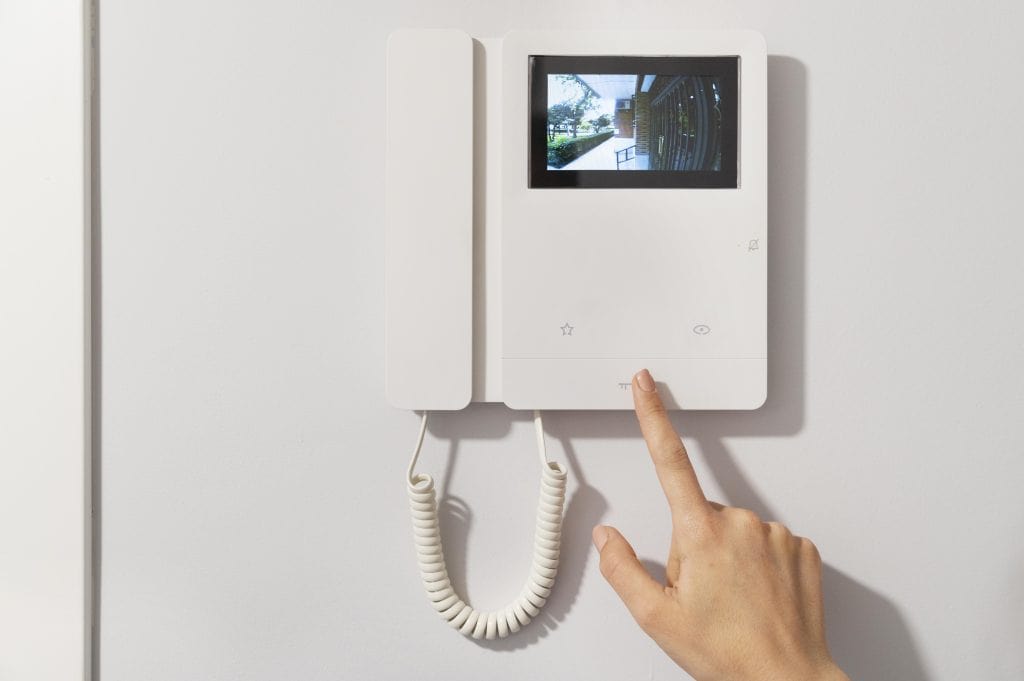
Over 67% of burglaries involve forced entry through front or back doors. A video doorbell covers that entry point and lets you see and talk to anyone at the door from your phone. The ring starts at $49.99. Battery models install in under 30 minutes. SimpliSafe’s doorbell ($169) adds active deterrence through their monitoring service. ADT bundles the Google Nest Doorbell ($179.99) with professional monitoring from $39.99 per month.
Most doorbells need a subscription for cloud video storage. Ring starts at $4.99 per month. Google Home Premium is $10. If you want no recurring fees, look for models with local microSD storage.
Smart Locks
Two types. Retrofit models—August, Wyze—clamp over your existing deadbolt. They’re cheaper and keep your current keys working. Full-replacement locks from Level, Schlage, or Yale remove the old hardware but offer slimmer designs and more features. Both types take about 30 minutes to install.
Access options include keypad codes, fingerprint sensors, Bluetooth proximity unlock, and NFC. Temporary codes for guests are standard. Battery life is several months. Most locks have a 9V jumpstart contact at the base in case the batteries die.
Security Cameras
Indoor cameras work for living areas, pets, and kids. They have two-way audio and motion alerts. Outdoor cameras need IP67 or IP68 weatherproofing—don’t use indoor cameras outside. Cover all entry points. Test the field of view from the app before you mount anything permanently.
Subscription costs matter more than device costs in the long run. Eufy and Reolink offer local storage with no monthly fee. Ring and Nest require plans for full video history. Always calculate three-year total cost—device plus subscription—before comparing.
Choosing an Ecosystem
Amazon Alexa
Widest device range of the three. Good for budget hardware that isn’t Apple- or Google-certified. Best speaker selection at every price point. The downside: third-party skills need specific command phrasing. That’s a learning curve for anyone in the household who didn’t set it up.
Google Home
Best fit for Android users already on Google Calendar and Gmail. The assistant handles natural language better than Alexa. One thing to know: voice data goes to Google servers and stays there. Worth considering if privacy matters to you.
Apple HomeKit
The strongest privacy of the three. All device communication is encrypted. Devices verify each other before accepting commands. Fewer compatible devices than Alexa, and it only works with Apple hardware. Right choice if you’re already in the Apple ecosystem and privacy is a priority.
Cost and Payback Reference
| Device | Cost range | Payback period | Subscription | DIY install |
| Smart thermostat | $100–$250 | 1–2 years | No (optional) | Yes—30–60 min |
| Smart lighting (per bulb) | $10–$50 | 6–12 months | No | Yes—5 min |
| Smart plug | $9–$25 | Weeks–months | No | Yes—2 min |
| Video doorbell | $50–$350 | — | Yes ($5–$10/mo) | Yes—30 min |
| Smart lock | $100–$500 | — | No (optional) | Yes—30 min |
| Security camera | $50–$350/unit | — | Yes ($3–$10/mo) | Yes (outdoor harder) |
| Smart speaker/hub | $35–$300 | — | No (optional) | Yes—5 min |
Device prices sourced from manufacturer listings and CNET’s smart home buying guide. Subscription rates are current as of 2026—verify before buying, as these change often.
What to Watch Out For
Subscription Creep
The device price is rarely the full cost. Camera storage, professional monitoring, video history, and cloud features all carry monthly fees. Ring is $4.99 per camera per month. Nest is $10. Professional monitoring adds $19–$60 more. Add it up over three years before you decide, not just at checkout.
Ecosystem Lock-in
Matter-compatible devices give you options. Older and cheaper devices often don’t support it. Zigbee and Z-Wave use different wireless protocols—they need a hub to connect. Start with one ecosystem. Expand carefully. Check compatibility before you buy anything new.
Company Longevity
Insteon shut down in 2022 with no warning. About 1.3 million customers were left with devices that no longer worked. iHome shut down too. Smaller brands carry real risk. Stick with companies that have the scale to keep servers running for years—Amazon, Google, Apple—or choose devices that run locally and don’t depend on manufacturer servers.
Bottom Line
Smart thermostats, plugs, and lighting have the clearest return. The savings are measurable, installation is simple, and no subscription is required. Security devices add real value too—but factor in ongoing fees before you commit. Start with one category. See if it fits your habits. Then expand. A smart thermostat and a few bulbs covers most of the financial case for smart home technology. Everything else builds on that.
Sources
Every external claim in this guide links to its origin. Collected automatically from the text above.
- More than half of US households own at least one smart home device — statista.com
- Energy Star-certified thermostats save an average of $50 per year — energystar.gov
- $50–$100 is common, and some customers qualify for $125 combined — energystar.gov
- LED smart bulbs use 75% less energy than incandescent bulbs and last 25 times longer — energy.gov
- accounts for 5–10% of home energy use — mge.com
- Over 67% of burglaries involve forced entry through front or back doors — adt.co.uk
- CNET's smart home buying guide — cnet.com
- About 1.3 million customers were left with devices that no longer worked — theverge.com

Jane McKenna
Jane covers interior design, room-by-room planning, and the organizational side of home improvement for Decor Modern. Her articles help homeowners decide how a space should look and function before they start buying materials. Jane's path to home improvement writing started in set design for small theater productions in New England — a job that taught her how to make any room feel intentional on almost no budget. She transitioned into residential interior consulting, working with homeowners on kitchen layouts, bedroom makeovers, and practical space planning that doesn't require an architect. After five years of in-person consultations, she began writing to reach people who couldn't afford a designer but still wanted thoughtful guidance. Over the course of her consulting work, she has worked with dozens of homeowners on kitchen layouts, bedroom redesigns, and space planning decisions — often within tight budgets and existing structural constraints. On Decor Modern, she writes the interior design styles guide, the bedroom and living room articles, and the kitchen remodel planning series. Her approach is pragmatic: she cares more about whether your kitchen layout actually works for cooking than whether it follows a trend. Her work focuses on functional design — layouts that improve how a space is actually used day-to-day, not just how it looks in photos. Jane is based in Connecticut, in a 1920s colonial that she and her husband have been updating room by room since they bought it — "slowly, and with a lot of opinions from each other."