
In this guide
A home office doesn’t need its own room. A well-planned 8×10-foot corner can function better than a cluttered spare bedroom—it comes down to desk position, lighting, and a chair that holds up through an eight-hour day. Get those three things right and the rest follows.
This guide covers location, furniture, lighting, storage, and the setup sequence—with specific products, measurements, and costs where they matter.
Location: Where to Put It
Choosing the Space
The win situation is to have a spare bedroom, but it’s not the only solution for the home office settlement. Attics and garages can work out great in case you need a separate room and don’t want to lose a bedroom.
Closets—sometimes called cloffices—work for focused solo work and close off completely when the day ends. Under-stair spaces and alcoves in living or dining rooms handle compact setups. An 8×10-foot area fits a built-in desk and storage; 10×13 feet gives room for a floating desk with surrounding cabinetry.
Keep the desk away from high-traffic areas and rooms where noise carries. For video calls, background and acoustics matter as much as the physical setup.
Sharing a Room
If the office shares space with a living room or bedroom, visual separation helps—a bookcase, folding screen, or even a distinct area rug signals the boundary between work and non-work zones. Plants placed at the edge of the desk area work too. The goal is a consistent physical location your brain associates with focused work; that association builds over time and makes getting into work mode faster.
Two-Person Setups
Back-to-back desks suit people who need to focus independently. Side-by-side with a shared long desk and a dividing storage unit in between gives proximity without constant interruption. Facing desks across a shared surface work for collaborative households but make simultaneous phone calls difficult.
Furniture: What You Actually Need
Desk
Desk width depends on your monitor setup: a single monitor needs 40–50 inches; dual monitors require at least 55 inches. Depth matters more than people expect—your monitor should sit at least 25 inches from your eyes, which makes 24 inches the practical minimum depth. 30 inches is better for large monitors or separate keyboards. Standing desks run $120 for basic electric models up to $1,125 for premium bamboo versions. L-shaped and corner desks maximize tight spaces without taking over the room.
Chair
Adjustability is what separates a chair that works from one that doesn’t. Seat height should let your feet rest flat with knees at 90–100 degrees. Lumbar support needs to adjust in height—fixed lumbar that doesn’t line up with your lower back is worse than none. Armrests should position elbows at 90 degrees with relaxed shoulders. A recline range of 100–135 degrees lets you shift weight and reduce spinal compression during long sessions.
Budget $200–$300 for adequate support. The HON Ignition 2.0 covers standard adjustments in that range. Premium options like the Steelcase Gesture ($1,000+) offer the most adjustability for different body types. Chairs under $150 typically lack the depth adjustment and lumbar control that make a real difference over an eight-hour day.
Monitor
A 24–27-inch monitor covers most work. Creative work and multitasking benefit from 32–34 inches; ultrawide monitors at 37+ inches eliminate constant window switching but require significant desk depth. Position the screen at arm’s length with the top at or just below eye level. The Dell S2722QC 27-inch 4K monitor runs $220–$370; budget 24-inch FHD options start around $150. Monitor arms ($30–$150) lift the screen off the desk surface and improve positioning.
Lighting
Natural light improves productivity by up to 40% according to Cornell University research. Place the desk perpendicular to the window—light from the side is ideal. Direct sunlight hitting your screen creates glare; direct sunlight in your eyes causes fatigue. Both situations are worse than no natural light at all.
Color temperature affects alertness. Cool light (5000K–6500K) supports focus during work hours. Warmer light (2700K–3000K) is better suited for evening. Most people default to warm ambient light throughout the day, which works against concentration.
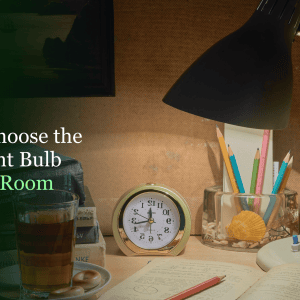
For task lighting, the BenQ ScreenBar ($84–$109) mounts to the monitor top and keeps desk space clear while reducing eye strain. The IKEA Forså desk lamp runs about $30 and covers basic task lighting. Aim for 800–1,500 lumens across the setup and layer ambient ceiling light with task lighting to avoid harsh contrasts.
Setup: Six Steps in Order

1. Measure First
Mark wall dimensions and note fixed obstructions—columns, HVAC vents, doors. Allow at least 60 inches of width and 84 inches of depth for comfortable movement around the workstation. Calculate the full footprint: desk plus 42 inches behind the chair for rolling and shifting.
2. Position the Desk
Perpendicular to the window is the default—side light, no direct glare. If the only window placement puts sun on the screen during part of the day, note when and shift the desk angle accordingly. Working toward a wall with your back to the room reduces distractions but can feel claustrophobic in smaller spaces.
3. Sort the Power
Plan outlet placement before furniture goes in. Most setups need power for a computer, monitor, lamp, charger, and possibly a printer. Running on extension cords permanently is a fire risk—new outlet installation or a dedicated circuit is worth the upfront cost. Use 20-amp outlets for equipment-heavy setups. Floor outlets work for center-room desks without visible cord runs.
4. Set Up Ergonomics
Adjust chair height so the seat sits just below your kneecap when standing. Seated: feet flat, knees at 90 degrees, lumbar support at waist level, elbows at 90 degrees. Monitor at arm’s length, top at or just below eye level. Keyboard at elbow height, wrists straight. These aren’t optional refinements—wrong posture across eight hours causes the cumulative damage that shows up months later.
5. Add Storage
Wall-mounted shelves use vertical space without taking up floor area. Filing cabinets handle documents if your work isn’t fully digital. Under-desk keyboard trays and monitor stands with built-in drawers free up the desk surface. The Gianotter dual monitor organizer ($36) adds drawer space and pen holders without consuming much room. Bundle cables with Velcro ties and route them along the desk underside using cable trays.
6. Keep the Desk Clear
Keep only what you use daily visible on the desk surface. Everything else goes in drawers, on shelves, or in storage boxes. A minimal surface isn’t aesthetic preference—it reduces the low-level cognitive load of filtering out visual clutter during the day.
Cost Breakdown
| Item | Budget | Mid-Range | Premium |
| Desk | $80–$200 (basic fixed) | $300–$600 (adjustable) | $700–$1,125+ (standing, bamboo) |
| Chair | $100–$200 (basic) | $200–$400 (ergonomic) | $500–$1,000+ (Steelcase, Herman Miller) |
| Monitor | $150–$200 (24″ FHD) | $220–$370 (27″ 4K) | $500+ (ultrawide or dual setup) |
| Lighting | $30 (IKEA Forså) | $84–$109 (BenQ ScreenBar) | $150+ (layered setup) |
| Storage | $20–$40 (shelf/organizer) | $100–$200 (filing + shelves) | $2,000–$5,000+ (custom built-ins) |
| Total estimate | $380–$640 | $900–$1,700 | $2,000–$5,000+ |
Electricity usage increases 7–23% with a home office, adding roughly $20–$100 to monthly power bills. The Internet typically runs $50–$150 per month. A simple setup takes one weekend; built-ins or custom cabinetry take 2–3 weekends and professional help.
Time to Call a Pro
DIY covers furniture assembly, wall shelving, lighting swaps, and cable management. Electrical work—panel upgrades, new circuits, outlet installations—needs a licensed electrician, full stop. Custom built-ins run $2,000–$5,000+ depending on room size and materials, and are worth it in a permanent setup.
Bottom Line
Location, desk position, chair adjustability, and lighting account for most of what determines whether a home office actually works. Get those right first—spend on the chair before the monitor, and sort the lighting before the decor. A basic setup in the $500–$800 range covers all four. Upgrade from there once you know what the space is missing.
Sources
Every external claim in this guide links to its origin. Collected automatically from the text above.
- An 8×10-foot area fits a built-in desk and storage — architecturaldigest.com
- at least 25 inches from your eyes — aao.org
- $120 for basic electric models up to $1,125 for premium bamboo versions — pcworld.com
- Natural light improves productivity by up to 40% — eco-business.com
- BenQ ScreenBar ($84–$109) — imovr.com
- Allow at least 60 inches of width and 84 inches of depth — houzz.com
- new outlet installation or a dedicated circuit — wagnermechanical.com
- 7–23% — iea.org

Dave Blomqvist
Dave writes about exterior maintenance, structural repair, and outdoor projects for Decor Modern. If it's on the outside of your house — siding, garage doors, decks, gutters, or that rotting windowsill you've been ignoring — it's probably in his territory. Dave spent over a decade working in residential construction in the Pacific Northwest, where rain doesn't ask permission and wood rot is a year-round job. He started as a framing carpenter, moved into exterior restoration, and eventually ran his own small crew specializing in deck builds and siding replacement. Over the years, he worked on hundreds of exterior repair and construction projects in real-world weather conditions. That hands-on background shapes how he writes: he knows which product specs actually matter on a job site and which ones are just marketing. He knows which materials fail over time, which installations hold up, and what shortcuts typically lead to expensive repairs later. On Decor Modern, Dave authored the garage door replacement cost guide and the home value ROI series. He's the team's go-to voice on anything structural — when a floor sags, a door frame shifts, or a homeowner needs to know whether a crack is cosmetic or warrants calling an engineer. He focuses on helping homeowners distinguish between cosmetic issues and structural problems that require professional evaluation. Dave lives in Oregon with his wife and two dogs, in a 1970s split-level that he describes as "a never-ending punch list."